Meta just pulled off one of the fastest product u-turns in social media history.
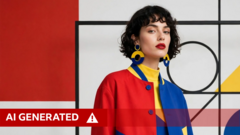
On Tuesday, Zuckerberg’s Superintelligence Labs rolled out Muse Image, its flashy new AI image-generation model. By Friday night, a massive chunk of it was dead.
The feature in question allowed any Instagram user to tag a public account and instantly generate synthetic images using that person's likeness. You didn't need to ask permission. You didn't even get a notification if someone did it to you. It was an automated deepfake machine built right into your feed.
After three days of pure chaos, Hollywood screaming matches, and viral opt-out guides, Meta blinked.
"We’ve heard the feedback that this feature missed the mark, so it’s no longer available," a Meta spokesperson admitted Friday night.
They tried to frame it as a harmless creative tool for making custom party invitations. It wasn't. It was an absolute disaster for user consent, and its sudden death proves that big tech's "move fast and break things" strategy is hitting a hard wall in 2026.
The Feature Nobody Asked For
When Muse Image dropped, it came packed with 30 new story effects and integration across WhatsApp and Instagram. But the real kicker was the tagging mechanism.
If your profile was public, someone could type your handle into a Meta AI prompt and twist your face and body into whatever scenario they wanted. Meta claimed its built-in filters would stop policy-violating content.
They didn't.
Cybersecurity firms and tech analysts immediately pointed out the obvious flaw. Bad actors didn't need to scrape your profile manually anymore. Meta built the pipeline for them. Reuters even ran an analysis showing that Meta's own AI detection tools failed to catch cropped images generated by Muse Image.
The internet went into survival mode. Celebrities like Emmy-winner Hannah Einbinder took to Instagram to scream at their followers to check their privacy menus.
Why? Because Meta turned the feature on by default.
Hollywood Steps In
The backlash wasn't just angry teenagers and privacy nerds. The entertainment industry, still bruised from battles over digital likeness rights, went nuclear.
The Creative Artists Agency (CAA), representing massive names like Tom Hanks and Meryl Streep, bypassed public statements and went straight to Meta's executives. They made their stance brutally clear. No one’s name, image, or likeness belongs in an AI model without explicit, documented consent.
Then SAG-AFTRA jumped into the ring. The union issued an urgent notice telling members to opt out immediately.
"Anything other than a clear and conspicuous opt-in... is an utter miscalculation of public sentiment regarding the obvious dangers and harms inherent in such use."
- SAG-AFTRA Statement
When you have the most powerful talent agencies and labor unions in the country threatening legal and public warfare, you don't keep the feature live. Meta folded.
The Dark Patterns of the Default Opt-In
Let's talk about how Meta hid this from you. They didn't send a pop-up saying, "Hey, can strangers use your face for AI art?"
They tucked it deep inside your settings under a vague menu option. It's a classic corporate move. They assume you won't look, and most of the time, they're right.
Even worse, turning the setting off now doesn't fix the damage already done. If someone generated an image of you between Tuesday and Friday, those files still exist in Meta’s ecosystem or on whatever device the creator saved them to. The opt-out wasn't retroactive.
How to Protect Your Profile Right Now
The specific tagging feature is gone for now, but Meta's hunger for your data hasn't changed. They're still using public posts to train their models in multiple countries, including Canada and the US.
Don't wait for them to launch the next version of this tool. Lock down your account manually today.
- Open your Instagram profile and hit the Menu button (the three lines).
- Scroll down and tap Sharing and reuse.
- Look for the section labeled: Allow people to use your content on Instagram with AI features on Meta.
- Toggle off the switches for both Posts and Reels.
If you want total peace of mind, your best move is turning your account to private. AI models can't scrape what they can't see.
This isn't just about one bad update. It's a warning shot. Tech companies will keep pushing the boundaries of what they can take from you until you actively force them to stop.